
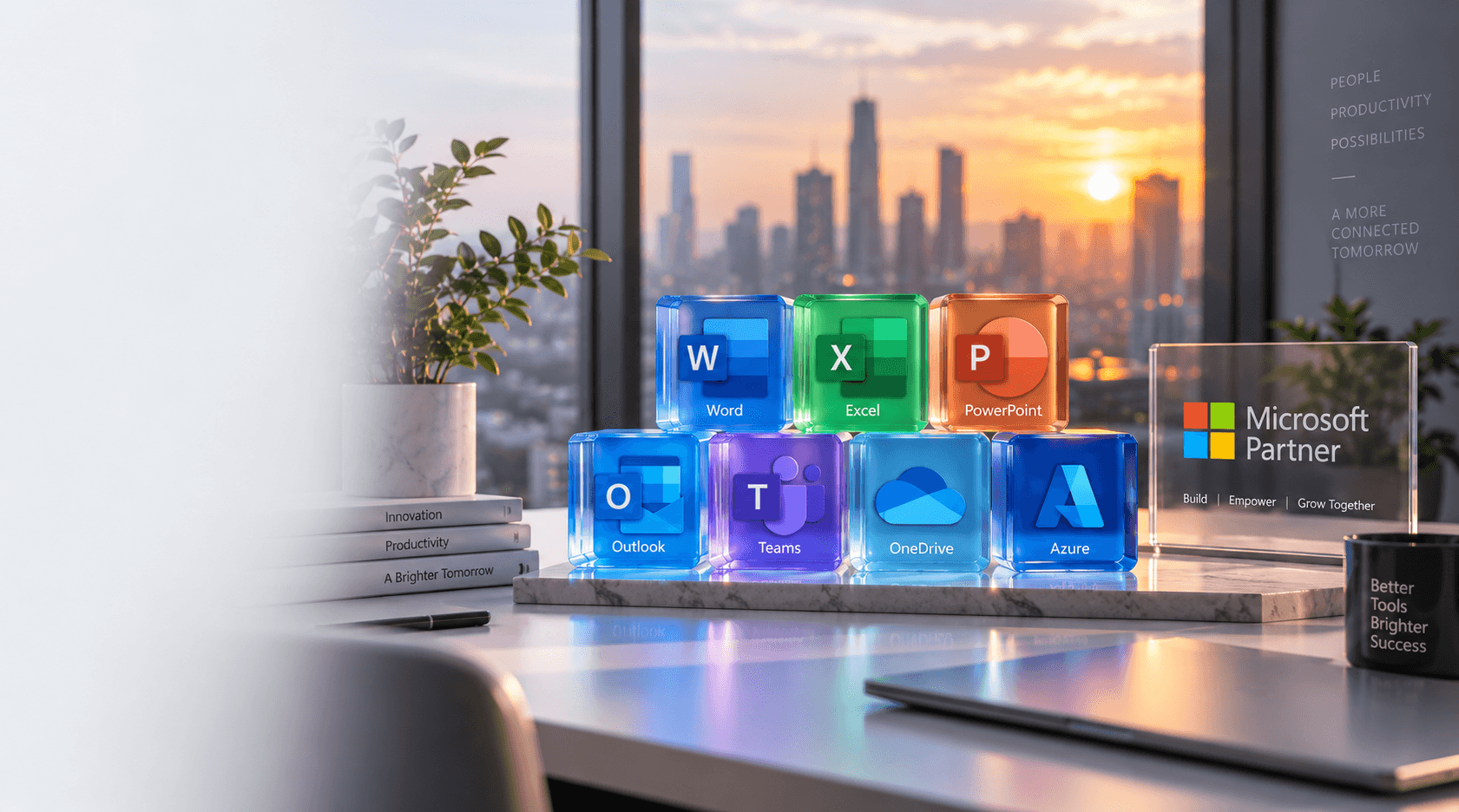
Microsoft Windows Server infrastructure services
Microsoft Authorized Partner

Microsoft Windows Server Services & Solutions

Build, manage, secure and modernize Windows Server across on-premises data centers, Hyper-V and hybrid Azure — Active Directory, DNS, DHCP, security hardening, migration and ongoing support.

What We Deliver

Everything you need, under one roof

Installation & Configuration

Physical, Hyper-V and hybrid Windows Server deployment with roles, networking, security policies and PowerShell automation.

Active Directory & Identity

Domain controllers, OU design, Group Policy, health checks, migration and integration with Microsoft’s identity ecosystem.

Migration & Upgrades

Move from 2012/2016/2019/2022 to Windows Server 2025 with planned upgrades, side-by-side migrations and rollback preparation.

Hyper-V Virtualization

VM deployment, virtual networking, Replica, clustering, P2V migration and Datacenter vs Standard licensing guidance.

Security & Hardening

Firewall baselines, least-privilege admin, patch management, audit policies and Windows Server 2025 secured-core capabilities.

Azure Hybrid & Arc

Azure VM migration, Azure Arc management, hybrid backup, DR and identity integration for modern hybrid estates.

How It Works

A proven, repeatable process

01

Assess

Review servers, workloads, network, applications, storage, users and business requirements.

02

Plan

Define architecture, roles, virtualization strategy, storage, security and licensing.

03

Deploy

Install Windows Server and configure required roles according to the approved design.

04

Secure & Migrate

Apply firewall, access control, patching and auditing; migrate users, apps and data with validation.

05

Support

Document the estate and provide monitoring, maintenance, troubleshooting and optimization.

Features

Windows Server Capabilities We Deliver

Installation & Configuration

Deploy physical or virtual servers around your workloads, security, networking and growth plans — not a generic OS install.

  • OS, roles and features
  • Domain controller & AD
  • DNS, DHCP, file & print
  • IIS, RDS and Firewall

Windows Server 2025

Plan and implement Windows Server 2025 with security, virtualization, storage, containers and Azure hybrid capabilities.

  • Installation & migration planning
  • AD modernization & Hyper-V
  • Windows Admin Center & Azure Arc
  • Backup, monitoring and optimization

Migration & Upgrades

Move from legacy servers with dependency mapping, backup, testing and rollback — in-place or side-by-side.

  • 2012 through 2025 migrations
  • Domain controller & file server
  • IIS, DNS/DHCP and Hyper-V
  • P2V and server consolidation

Active Directory & Group Policy

Centralize authentication, authorization and security policies across users, computers and OUs.

  • Domain Services & health checks
  • OU design and GPO
  • Replication & DNS integration
  • AD backup and recovery

Security, Backup & Monitoring

Treat Windows Server as a critical security asset with hardening, RPO/RTO-aligned backup and proactive managed support.

  • Security baselines & patching
  • Backup and disaster recovery
  • Health and event monitoring
  • Incident troubleshooting

Licensing & Hybrid Cloud

Choose the right edition and CAL model, then connect on-premises servers to Azure where it makes business sense.

  • Standard vs Datacenter
  • Core licensing & CALs
  • Azure Hybrid Benefit
  • Azure Arc hybrid management

Why TechWorld

The difference is in the details

Capability
TechWorld
Typical Vendor
End-to-end Windows Server lifecycle
Assess → support
Install only
AD, DNS, DHCP, GPO & Hyper-V
Full stack
Fragmented vendors
Migration with rollback plans
Always
Best effort
Azure Arc & hybrid integration
Built in
Cloud-only or none
Licensing (Standard vs Datacenter)
Modeled first
Guesswork

Microsoft Windows Server Services & Solutions

Build, manage, secure and modernize your business IT infrastructure with professional Microsoft Windows Server services from TechWorld Solution. We help businesses deploy, configure, migrate, secure and manage Windows Server environments across on-premises data centers, virtualized infrastructure and hybrid cloud environments.

Our Windows Server services cover the complete server lifecycle — from infrastructure assessment and server installation to Active Directory, DNS, DHCP, Hyper-V virtualization, file services, security hardening, backup, migration, monitoring and ongoing Windows Server support.

Whether you are setting up a new Windows Server environment, upgrading from an older server version, consolidating physical servers, migrating workloads to the cloud, or looking for ongoing server administration, our team can help you design and operate a reliable Windows-based infrastructure.

Microsoft’s current Windows Server platform supports on-premises, hybrid and cloud environments, with Windows Server 2025 adding capabilities around security, virtualization, storage, containers and Azure integration.

Talk to our Windows Server team

Image coming soon

Complete Windows Server Services for Modern Businesses

Your server infrastructure supports critical business functions such as applications, databases, file sharing, authentication, websites, remote access and internal business systems. Poorly configured or outdated servers can create security risks, performance problems and unnecessary operational costs.

TechWorld Solution provides end-to-end Windows Server consulting and managed services to help organizations build a stable and secure server environment.

  • Windows Server installation and deployment
  • Windows Server configuration and administration
  • Windows Server 2025 implementation
  • Windows Server 2022 support
  • Windows Server migration and upgrades
  • Active Directory and domain services
  • DNS and DHCP configuration
  • Group Policy management
  • File and print server configuration
  • Hyper-V virtualization
  • Remote Desktop Services
  • IIS web server configuration
  • Windows Server security hardening
  • Patch and update management
  • Server monitoring and performance optimization
  • Backup and disaster recovery
  • Azure and hybrid cloud integration
  • Windows Server troubleshooting
  • Server consolidation and modernization
  • Ongoing managed Windows Server support

Image coming soon

Windows Server Installation & Configuration

A correctly deployed server provides the foundation for your organization’s IT environment. Our Windows Server installation services help businesses deploy new physical or virtual servers according to their workload, security, networking and scalability requirements.

We can deploy Windows Server in physical environments, Hyper-V virtual machines and supported cloud or hybrid infrastructure. Our objective is not simply to install the operating system — we configure the server around your organization’s actual workloads, security requirements and future growth.

  • Windows Server operating system installation
  • Server role and feature configuration
  • Static IP and network configuration
  • Domain controller deployment
  • Active Directory configuration
  • DNS and DHCP deployment
  • File and print services
  • IIS configuration
  • Remote Desktop Services
  • Server storage configuration
  • Security policies
  • Windows Firewall configuration
  • Administrative account configuration
  • Server naming and organizational standards
  • PowerShell-based administration and automation

Image coming soon

Windows Server 2025 Services

Windows Server 2025 introduces enhancements across security, virtualization, storage, application compatibility and hybrid cloud management. Microsoft describes Windows Server 2025 as a platform designed to bridge on-premises infrastructure with Azure services while supporting modern enterprise workloads.

TechWorld Solution can help organizations plan and implement Windows Server 2025 environments. Windows Server 2025 also supports modern hybrid management through Azure Arc and introduces additional capabilities for virtualization, storage and application platforms.

If your organization is currently running an older Windows Server version, we can assess your existing environment and develop an upgrade or migration roadmap.

  • Windows Server 2025 installation
  • Server migration planning
  • Active Directory modernization
  • Hyper-V virtualization
  • Windows Admin Center
  • Azure Arc integration
  • Server security hardening
  • Storage configuration
  • File server modernization
  • Application compatibility assessment
  • Backup and disaster recovery planning
  • Server monitoring
  • Performance optimization
  • Legacy server migration

Image coming soon

Windows Server Migration & Upgrade Services

Running an outdated server environment can make infrastructure management more difficult and can limit access to newer security and management capabilities. Our Windows Server migration services help organizations move from legacy environments to newer Windows Server versions while minimizing disruption to business operations.

Before migration, we evaluate server roles, applications, dependencies, storage, authentication, network configuration, backup status and compatibility requirements. Depending on the environment, migration may involve an in-place upgrade or a side-by-side migration to a new server.

Microsoft provides separate guidance for upgrade and migration scenarios, and the appropriate approach depends on the existing Windows Server version, roles and infrastructure. Our migration process emphasizes planning, backup, testing, validation and rollback preparation to reduce operational risk.

  • Windows Server 2012/2012 R2 migration
  • Windows Server 2016 migration
  • Windows Server 2019 migration
  • Windows Server 2022 migration
  • Windows Server 2025 migration
  • Domain controller migration
  • Active Directory migration
  • File server migration
  • Application server migration
  • IIS migration
  • DNS and DHCP migration
  • Hyper-V migration
  • Physical-to-virtual migration
  • Server consolidation
  • Cloud migration

Image coming soon

Active Directory Services

Active Directory is a core component of many Windows-based business networks. Our Active Directory services help organizations centralize authentication, authorization, users, computers and security policies. We can also help integrate traditional Windows Server environments with Microsoft’s broader identity and cloud ecosystem where appropriate.

  • Active Directory Domain Services setup
  • Domain controller installation
  • Domain migration
  • Active Directory health checks
  • User and group management
  • Organizational Unit design
  • Group Policy configuration
  • Security policy implementation
  • Domain controller replication troubleshooting
  • DNS integration
  • Active Directory backup
  • Active Directory recovery planning
  • Domain consolidation
  • Active Directory modernization

Image coming soon

DNS & DHCP Server Services

Reliable DNS and DHCP services are essential for a stable Windows network. Our Windows Server DNS and DHCP services include installation, configuration, troubleshooting and ongoing administration.

Correct DNS configuration is particularly important for Active Directory environments because domain controllers and other Windows services depend heavily on reliable name resolution.

  • DNS server deployment
  • DNS zone configuration
  • Forward and reverse lookup zones
  • DNS troubleshooting
  • DHCP server installation
  • DHCP scopes
  • IP address reservations
  • DHCP failover
  • DNS/DHCP migration
  • Name resolution troubleshooting
  • Network service optimization

Image coming soon

Group Policy Management

Group Policy provides centralized control over Windows users and devices. Our Group Policy services help organizations implement consistent security and operational policies across their Windows environment. We can also review existing Group Policy configurations to identify unnecessary policies, conflicts and security gaps.

  • Password requirements
  • Account lockout
  • Windows Firewall
  • Security settings
  • Software deployment
  • User restrictions
  • Drive mapping
  • Printer deployment
  • Windows Update
  • Desktop configuration
  • Application restrictions
  • Administrative controls
  • Endpoint security policies

Image coming soon

Hyper-V Virtualization Services

Virtualization allows organizations to run multiple workloads on fewer physical servers while improving infrastructure flexibility. Our Microsoft Hyper-V services cover deployment, configuration, migration and administration.

Windows Server Datacenter is designed for highly virtualized environments, while Standard is intended for lower-density or non-virtualized environments. Microsoft currently uses a core-based licensing model for these editions, with Windows Server CAL requirements applying to accessing users or devices. We can help assess your virtualization requirements and coordinate the technical configuration with the applicable Microsoft licensing model.

  • Hyper-V installation
  • Virtual machine creation
  • VM resource allocation
  • Virtual networking
  • Virtual storage configuration
  • VM migration
  • Hyper-V Replica
  • High availability planning
  • Failover clustering
  • VM performance optimization
  • Physical-to-virtual migration
  • Virtual machine backup
  • Disaster recovery configuration

Image coming soon

Windows Server Security & Hardening

A Windows Server environment should be treated as a critical security asset. Our Windows Server security services focus on reducing unnecessary exposure and strengthening server configurations.

Windows Server 2025 includes additional security capabilities and Microsoft’s current platform documentation highlights multilayer security, secured-core technologies and improvements around secure networking. Security configuration should always be adapted to the organization’s applications and operational requirements rather than applying a generic configuration blindly.

  • Windows Firewall configuration
  • Security baseline implementation
  • Least-privilege administration
  • User and administrator access review
  • Local security policy configuration
  • Patch management
  • Secure remote access
  • Audit policy configuration
  • Event log monitoring
  • Service and port review
  • Endpoint protection integration
  • Encryption configuration where appropriate
  • Backup protection
  • Server hardening assessment

Image coming soon

Windows Server Backup & Disaster Recovery

Server failure, ransomware, hardware problems and accidental deletion can interrupt business operations. We help organizations design Windows Server backup and disaster recovery solutions based on their recovery objectives.

A backup strategy should not only create backups — it should also provide a practical path to restoring critical systems. We therefore recommend defining recovery objectives such as RPO (Recovery Point Objective) and RTO (Recovery Time Objective) for important workloads.

  • Windows Server Backup configuration
  • Full server backup
  • File and folder backup
  • Virtual machine backup
  • Application-aware backup planning
  • Backup monitoring
  • Backup retention planning
  • Off-site backup
  • Disaster recovery planning
  • Recovery testing
  • Business continuity planning
  • Server restoration

Image coming soon

Windows Server Monitoring & Managed Support

Servers require ongoing maintenance after deployment. Our managed Windows Server support services can help organizations continuously monitor and maintain their infrastructure. Instead of waiting for a server problem to affect users, proactive monitoring can help identify resource, storage and service issues earlier.

  • Server health monitoring
  • CPU and memory monitoring
  • Storage monitoring
  • Disk-space alerts
  • Service monitoring
  • Event log analysis
  • Performance troubleshooting
  • Patch management
  • Security updates
  • Backup monitoring
  • User and permission administration
  • Active Directory administration
  • DNS/DHCP administration
  • Hyper-V administration
  • Incident troubleshooting
  • Capacity planning

Image coming soon

IIS Web Server Services

Microsoft Internet Information Services (IIS) is widely used to host Windows-based web applications and APIs. We can also help connect IIS workloads with databases, DNS, SSL certificates, load balancing and other infrastructure components.

  • IIS installation
  • Website configuration
  • Application pool configuration
  • SSL certificate configuration
  • HTTPS implementation
  • Domain binding
  • Reverse proxy configuration
  • Application deployment
  • PHP/IIS configuration where required
  • ASP.NET application hosting
  • Performance optimization
  • IIS troubleshooting
  • Logging and diagnostics

Image coming soon

Windows Server Troubleshooting

Server issues can originate from operating system configuration, Active Directory, DNS, networking, storage, applications or virtualization. We use a structured troubleshooting approach to identify the underlying cause rather than repeatedly treating individual symptoms.

  • Server performance issues
  • High CPU utilization
  • High memory usage
  • Disk-space problems
  • Windows services failing
  • Active Directory errors
  • DNS problems
  • DHCP issues
  • Domain login problems
  • Group Policy issues
  • RDP connection problems
  • Hyper-V VM problems
  • IIS application errors
  • Windows Update failures
  • File permission issues
  • Network connectivity problems
  • Server boot issues

Image coming soon

Windows Server Licensing Consultation

Selecting the correct Windows Server edition and licensing model is an important part of infrastructure planning. Microsoft currently offers Windows Server 2025 Standard and Datacenter editions for different infrastructure requirements, with core-based licensing and CAL requirements.

Licensing requirements can vary according to the deployment model, users, devices, virtualization and licensing agreement. We therefore recommend validating the final licensing configuration against Microsoft’s current licensing terms before purchase.

  • Windows Server edition selection
  • Standard vs Datacenter assessment
  • Core licensing requirements
  • Windows Server CAL planning
  • User CAL vs Device CAL considerations
  • Virtualization licensing assessment
  • License deployment planning
  • Existing license assessment
  • Upgrade planning
  • Microsoft licensing coordination

Image coming soon

Hybrid Cloud & Azure Integration

Many organizations are adopting hybrid infrastructure instead of moving every workload directly to the public cloud. Windows Server can operate across on-premises environments, Azure and hybrid infrastructure.

Azure Arc can extend Azure management capabilities to servers running outside Azure, including on-premises and other environments. Windows Server 2025 also supports Azure Arc-based management and related hybrid capabilities. This allows organizations to modernize management while maintaining workloads in locations that make sense for their business.

  • Windows Server Azure migration
  • Azure VM deployment
  • Azure Arc integration
  • Hybrid server management
  • Identity integration
  • Backup integration
  • Disaster recovery
  • Server monitoring
  • Cloud infrastructure assessment
  • Workload modernization

Image coming soon

Why Choose TechWorld Solution for Windows Server Services?

Choosing the right server partner is important because Windows Server infrastructure often supports critical business operations. TechWorld Solution focuses on practical infrastructure solutions designed around your existing environment and future requirements.

End-to-End Windows Server Expertise

From initial assessment through deployment, migration and ongoing management, we can support the complete Windows Server lifecycle.

Business-Focused Infrastructure Planning

We consider applications, users, security, performance, availability and future growth rather than treating the server as an isolated component.

Hybrid Infrastructure Capability

We can help organizations connect traditional Windows Server infrastructure with Azure and modern cloud services.

Security-Focused Configuration

Server security, access control, patching, monitoring and backup are considered as part of the infrastructure design.

Scalable Solutions

Whether you operate a small business environment or a larger multi-server infrastructure, the architecture can be designed around your current workload and expected growth.

Request a Windows Server consultation

Image coming soon

Our Windows Server Implementation Process

A structured implementation process helps reduce configuration errors and unexpected downtime.

  • Infrastructure assessment — servers, workloads, network, applications, storage, users and requirements
  • Architecture planning — server roles, virtualization, storage and security
  • Deployment — Windows Server and roles installed to the approved design
  • Security configuration — firewall, access control, patching and auditing
  • Migration and integration — users, applications, data and workloads
  • Testing — authentication, DNS, DHCP, apps, file access, backups and performance
  • Documentation — configurations, dependencies and operational procedures
  • Ongoing support — monitoring, maintenance, troubleshooting and optimization

Image coming soon

Windows Server Services for Different Business Needs

We tailor Windows Server solutions to the size and complexity of your organization.

Small and Medium Businesses

We can help SMBs establish reliable Windows Server environments for Active Directory, file sharing, business applications, remote access, backup, user management and security policies.

Growing Businesses

For organizations expanding to multiple offices or increasing their workforce, we can provide domain infrastructure, centralized identity, Hyper-V virtualization, server consolidation, backup and disaster recovery, and hybrid cloud integration.

Enterprises

Enterprise environments may require multi-server architecture, Active Directory design, Hyper-V clusters, high availability, advanced monitoring, disaster recovery, hybrid cloud management and infrastructure modernization.

Image coming soon

Upgrade Your Windows Server Infrastructure

If your organization is operating older Windows Server infrastructure, now is a good time to evaluate your migration and modernization options. Microsoft supports Windows Server 2025 alongside previous supported versions such as Windows Server 2022, 2019 and 2016.

A modernization project can provide an opportunity to replace aging hardware, consolidate servers, improve security, introduce virtualization, modernize Active Directory, improve backup and recovery, connect infrastructure to Azure, improve monitoring and reduce infrastructure complexity.

The right migration approach depends on your existing server version, applications, dependencies and business requirements.

Image coming soon

Modernize Your Windows Server Infrastructure

Your Windows Server environment is more than an operating system — it is a foundation for identity, applications, data, virtualization and business operations.

Whether you need Windows Server installation, migration, Active Directory, Hyper-V, security hardening, backup, Azure integration, troubleshooting or ongoing managed support, TechWorld Solution can help you plan and manage your infrastructure.

Talk to TechWorld Solution about your Windows Server requirements and get a solution designed around your business environment.

Get a free Windows Server assessment

Image coming soon

Client Success

What Our Clients Say

“TechWorld Solution transformed our entire IT infrastructure. The Azure migration was seamless with zero downtime across our Delhi and Pune plants. Their team's expertise and 24/7 support is unmatched.”
RV

Rajesh Verma

CTO, Sharma Industries

Sharma Industries

1 / 5

Windows Server FAQ

Frequently asked questions

Windows Server is Microsoft’s server operating system platform for running enterprise applications, infrastructure services, identity systems, file services, virtualization and other business workloads across on-premises, hybrid and cloud environments.

Ready to get started with Windows Server?

Talk to a senior architect today — get a free assessment and a tailored roadmap within 24 hours.